Hair Transplant App & Recovery Tracker
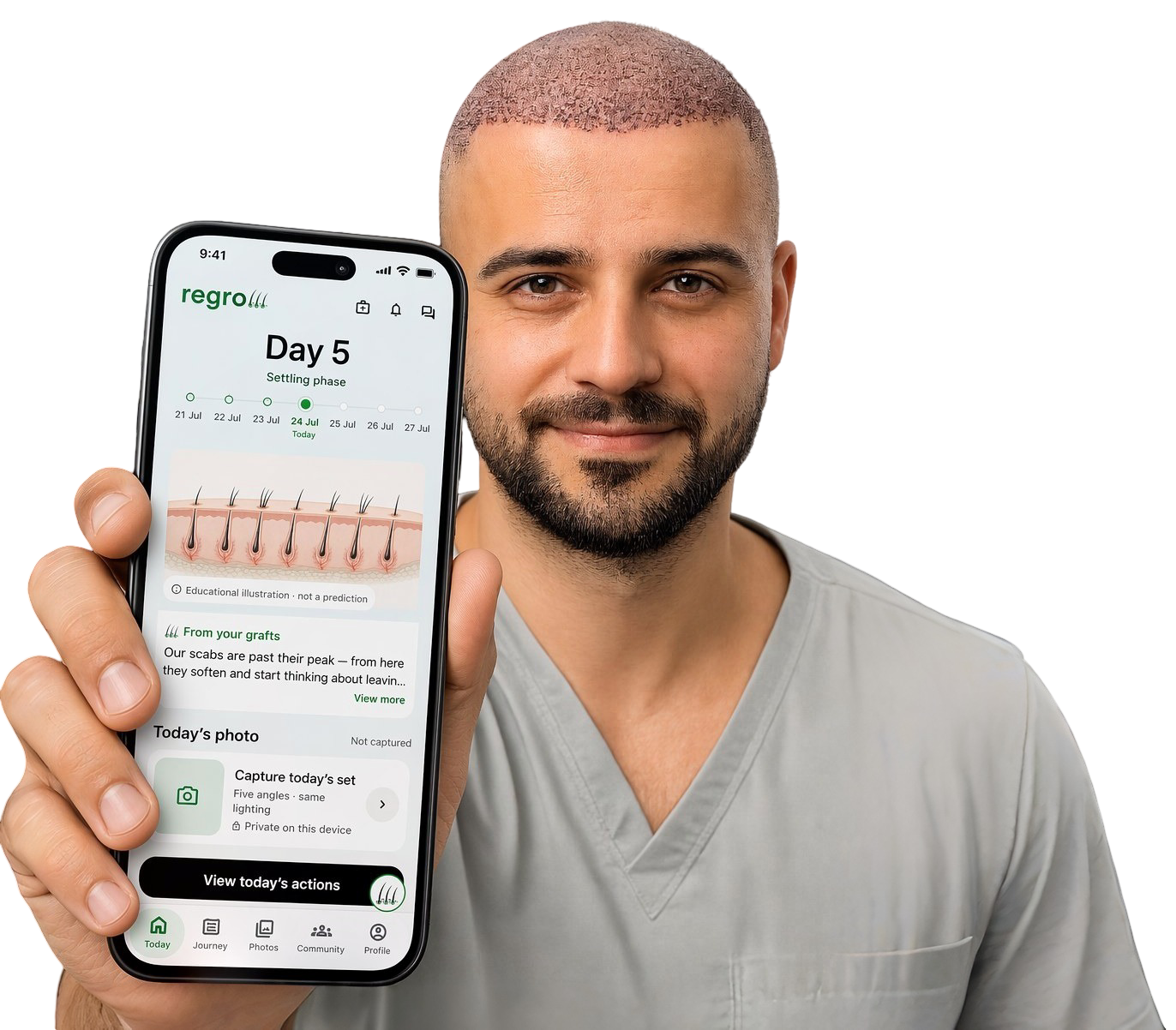
Regrow is a free hair transplant app for keeping recovery photos, reminders and your clinic’s instructions together. Use your hair transplant tracker to compare dated photos and follow general recovery education from the early days through the longer review period. Available as Regrow: Hair Transplant Care on iPhone and Android.
Core patient features are free. Secure Backup is optional; its terms and local prices are shown in the app before you decide.


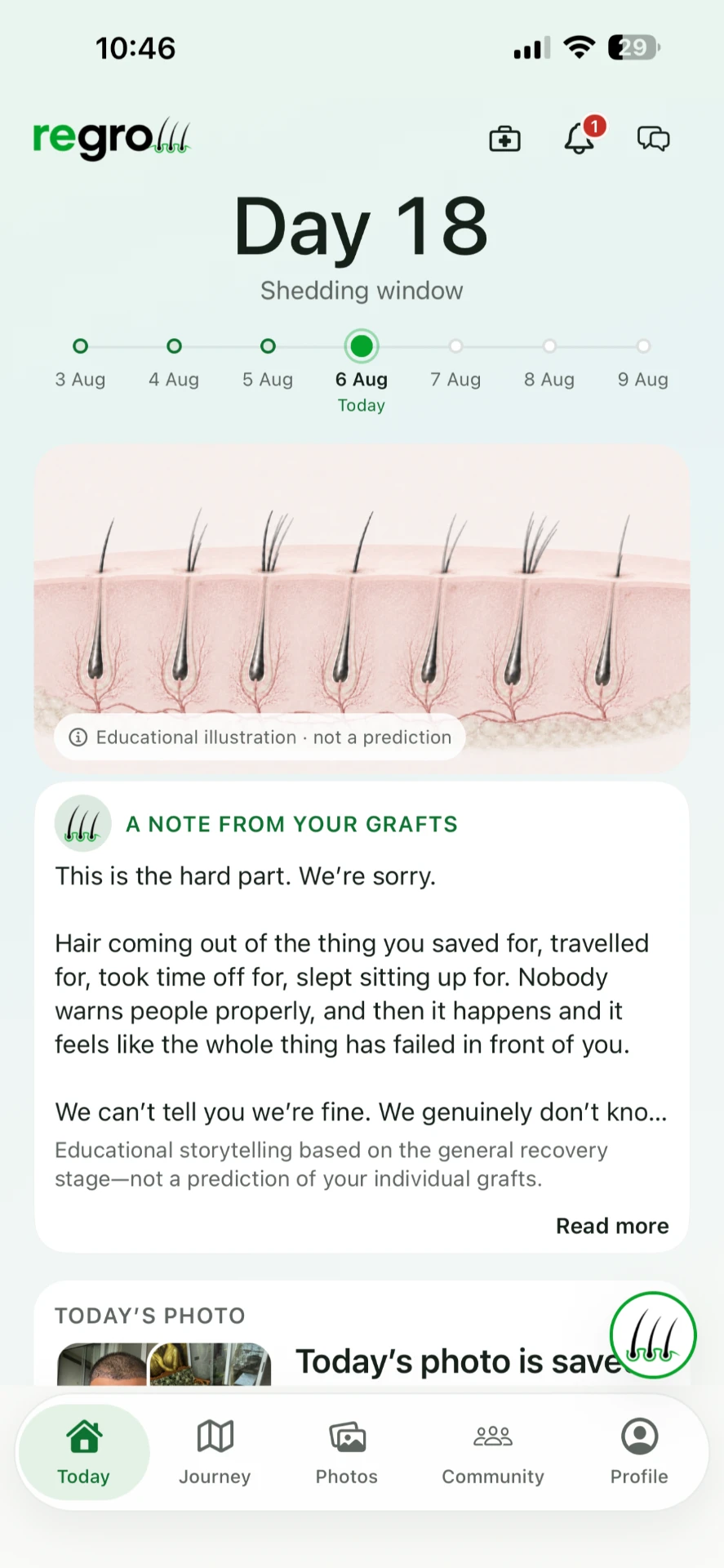
DAY 18
It's falling out, and you think you've wasted the money.
Around week two, transplanted hair commonly sheds. Almost nobody is warned about it properly, so it arrives as pure panic — hair coming out of the thing you saved for, travelled for, took time off work for.
This is the hard part. We're sorry.
Hair coming out of the thing you saved for, travelled for, took time off for, slept sitting up for. Nobody warns people properly, and then it happens and it feels like the whole thing has failed in front of you.
Regrow tells you which phase you're in and what is commonly normal in it. It will never tell you what your own result will be — nobody honestly can.
Every phase has a name and a date range.
Early recovery. The shedding window. The quiet window, when nothing seems to happen for a month and that is also normal. Then early visible change, and the long review period out to day 540.
New to this? Read the hair transplant recovery timeline guide.
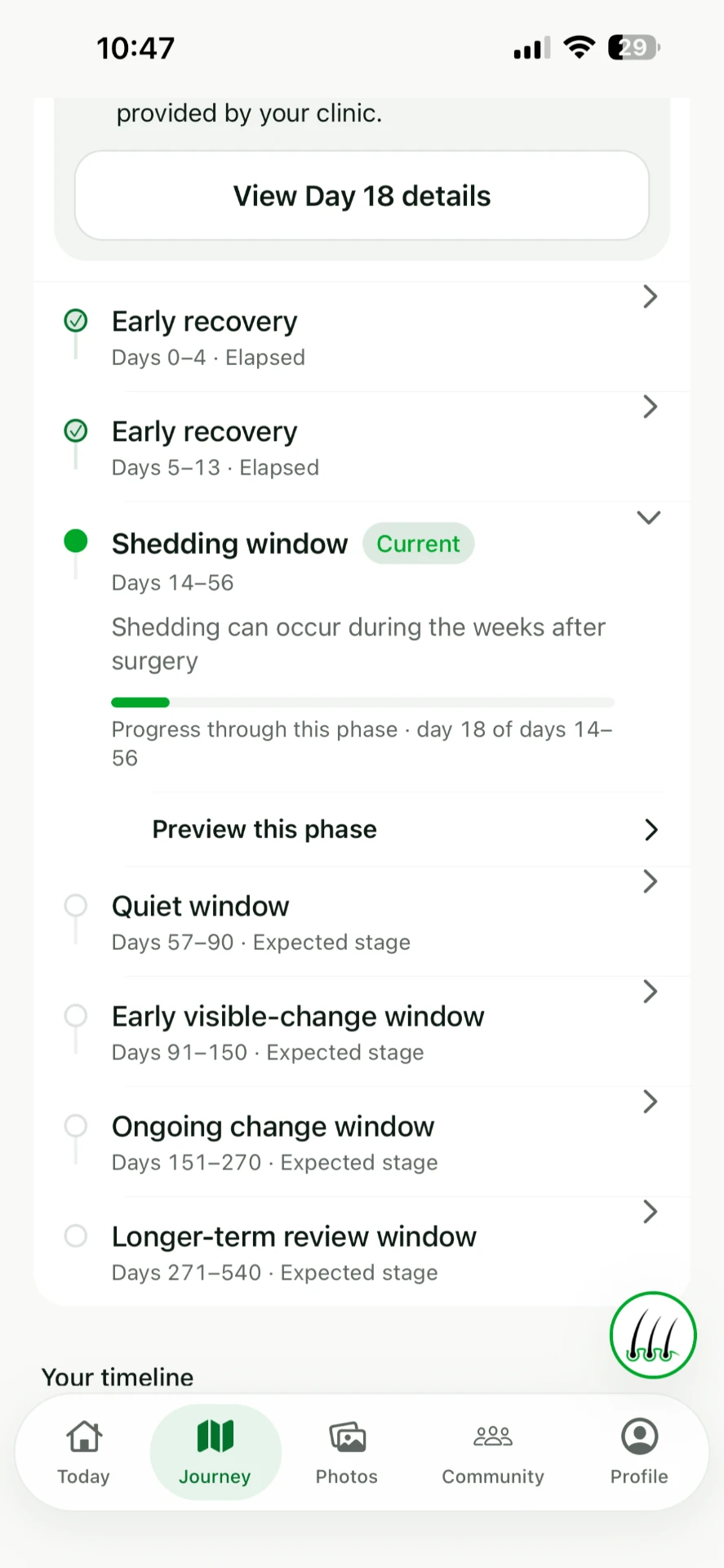
- Early recovery — days 0–13
- Shedding window — days 14–56
- Quiet window — days 57–90
- Early visible-change window — days 91–150
- Ongoing change window — days 151–270
- Longer-term review window — days 271–540
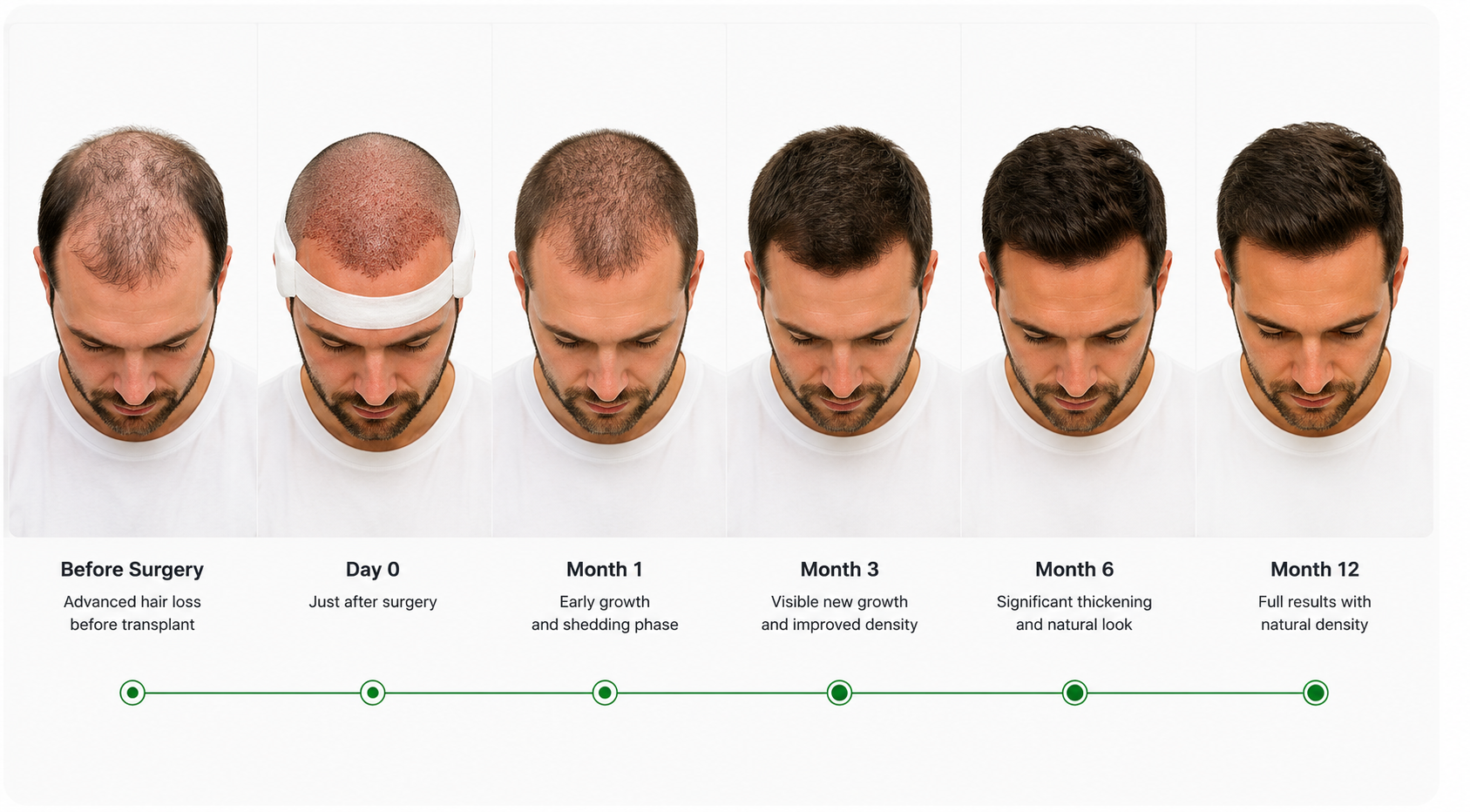
In four months you will want a photo of today. Take it now.
Recovery is too slow to see in a mirror. It only shows up when you put two photos side by side — and only if they were taken from the same angle, in the same way, on a schedule you didn't have to remember.
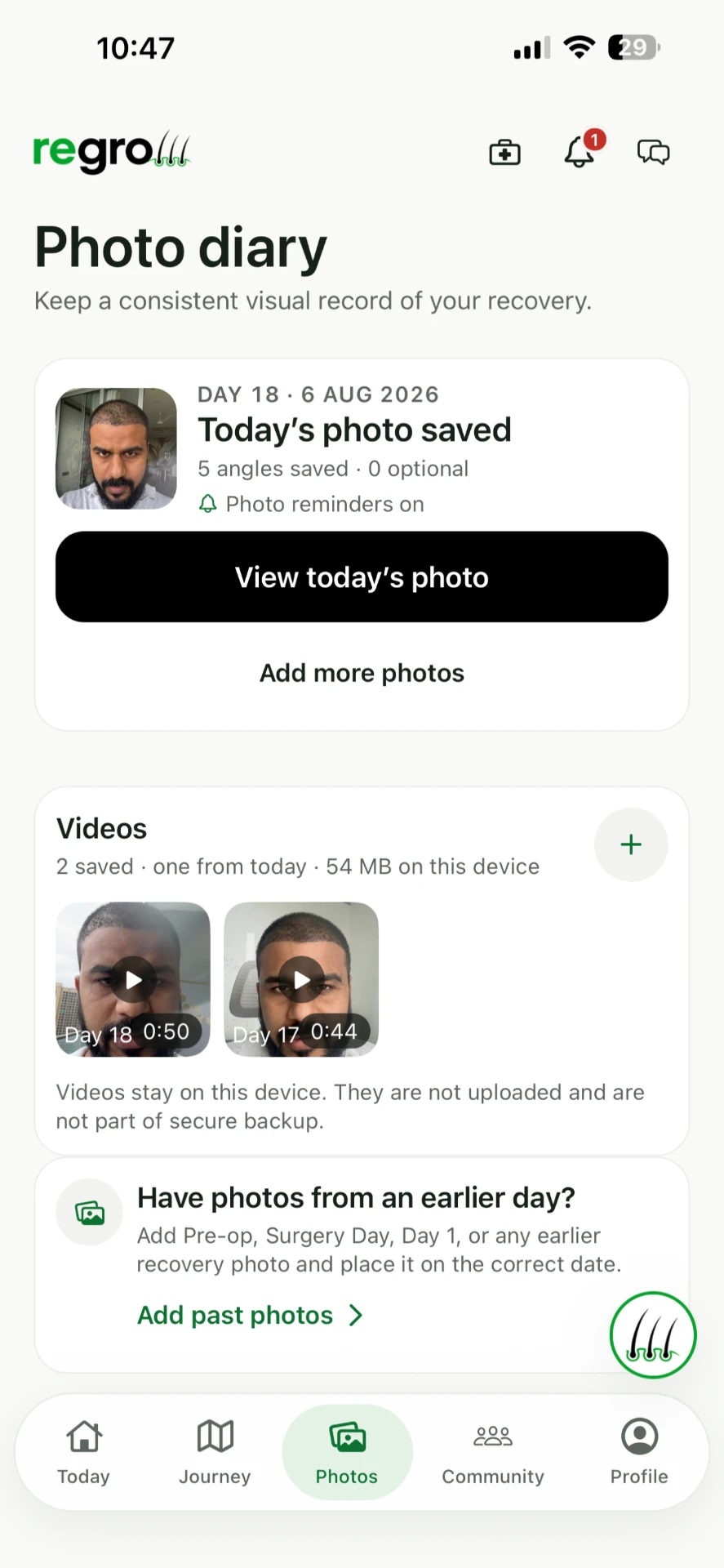
A reminder when today's photo is due.
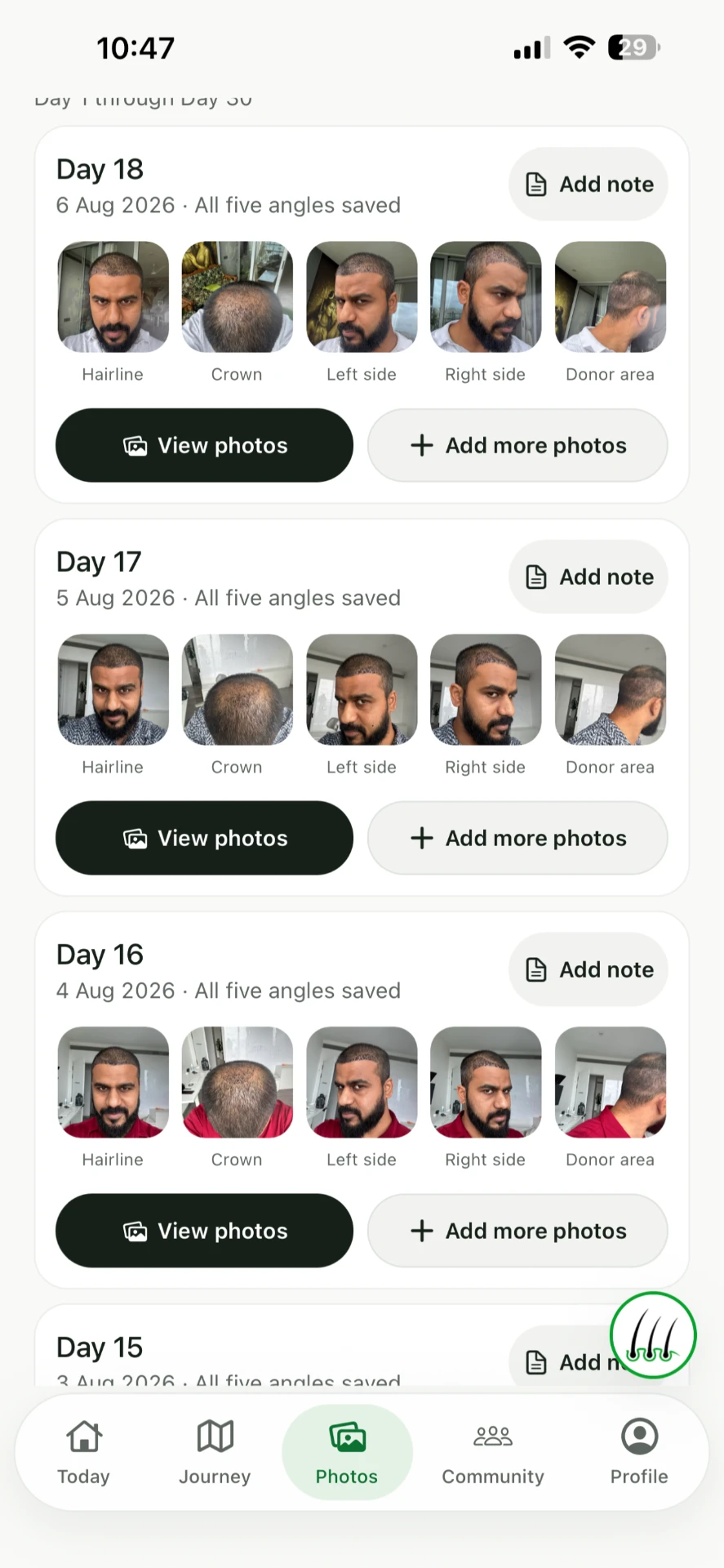
Five angles — hairline, crown, left, right, donor.
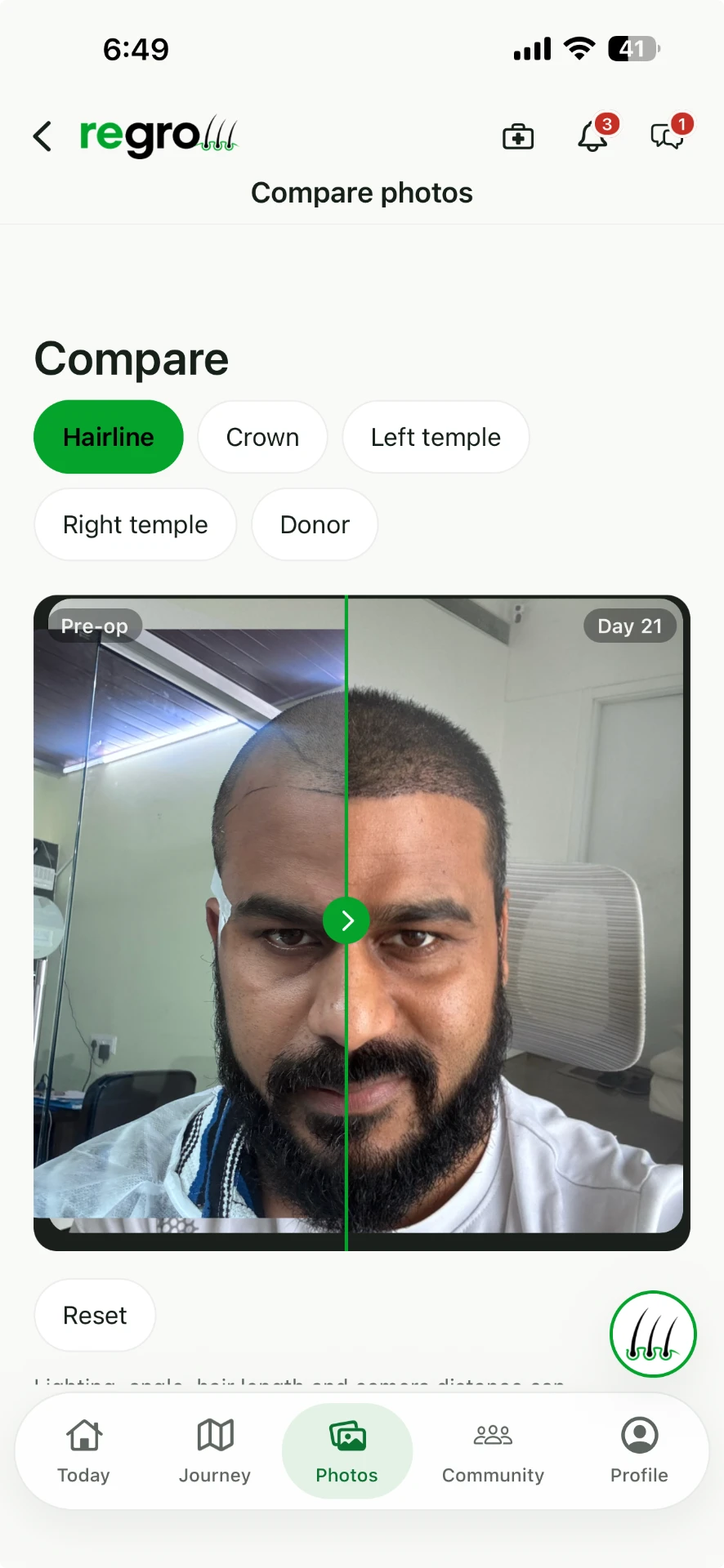
Pre-op against today, on the same angle.
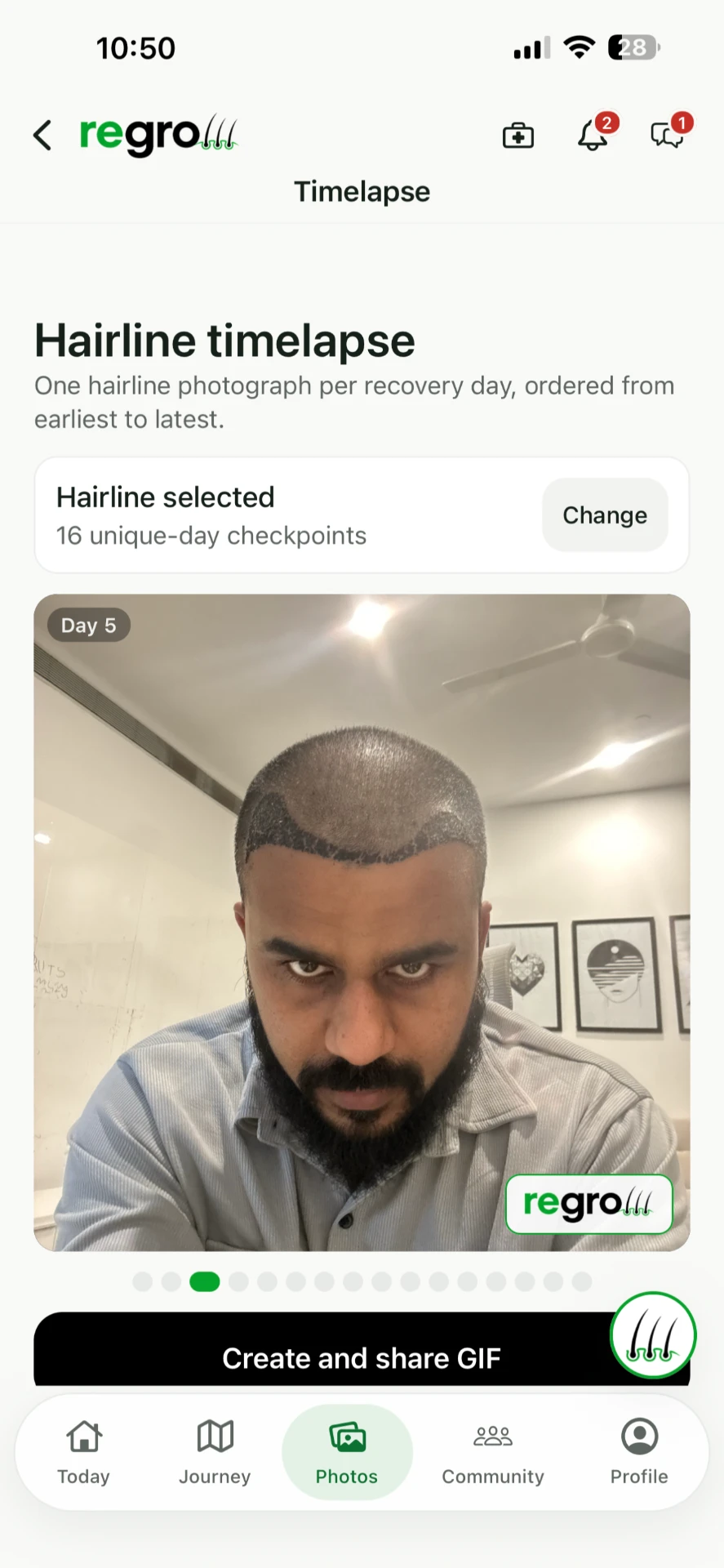
Sixteen days, one time-lapse you can share.
Started late? Add the photos you already have.
Pre-op, surgery day, day one — put old photos on their correct dates and they slot into the record as if you'd been using Regrow from the start.
THE FOUNDER'S OWN RECORD
Vikrant's photo diary
Before surgery and Day 26. Move between two genuine photographs from Vikrant's hairline diary.
Before surgery → Day 26The Day 26 image is enlarged and positioned to align the faces. Lighting and head position still differ. Original photos are available below. This personal record does not predict anyone else's outcome.
Explore the Regrow photo diary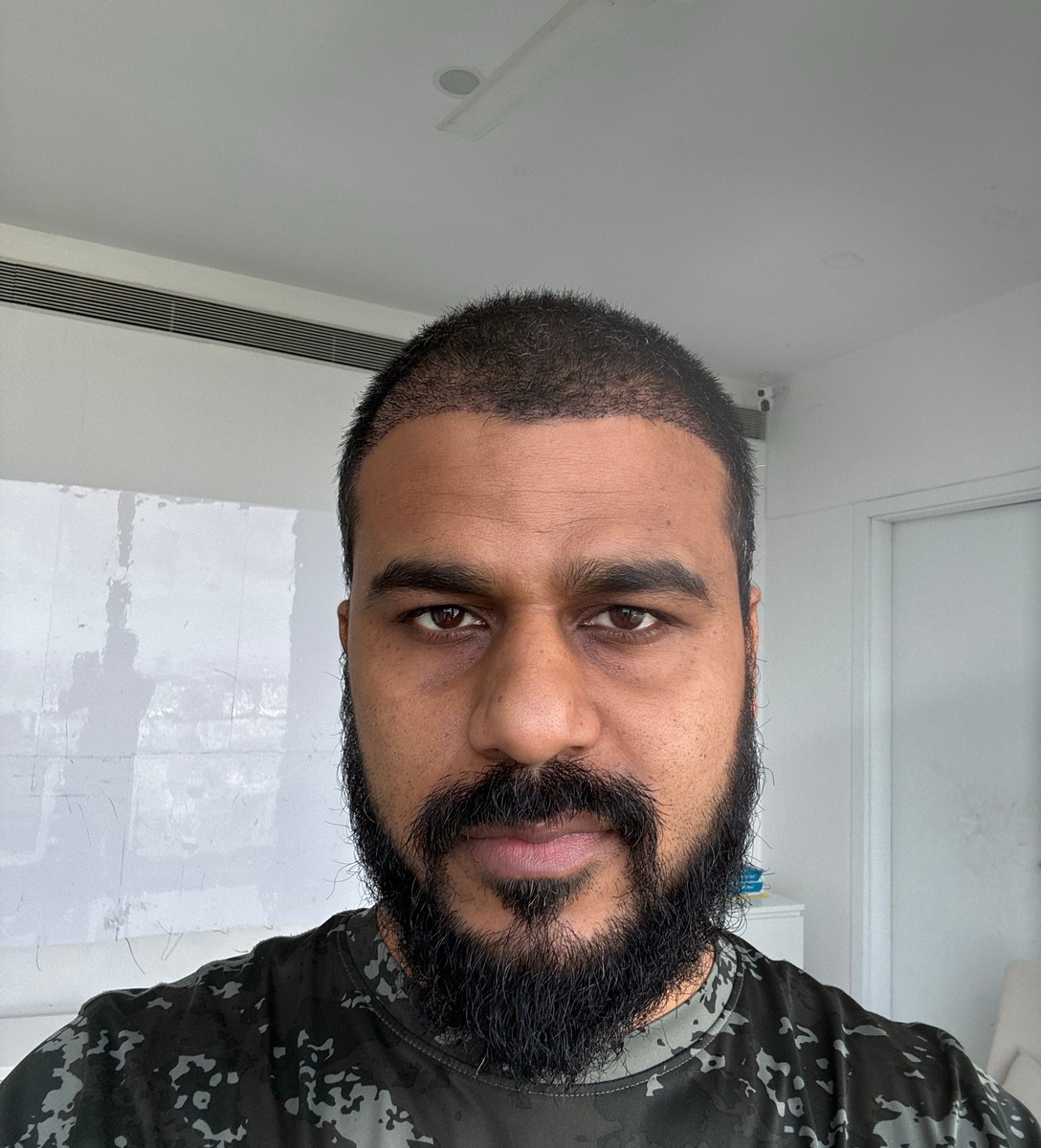
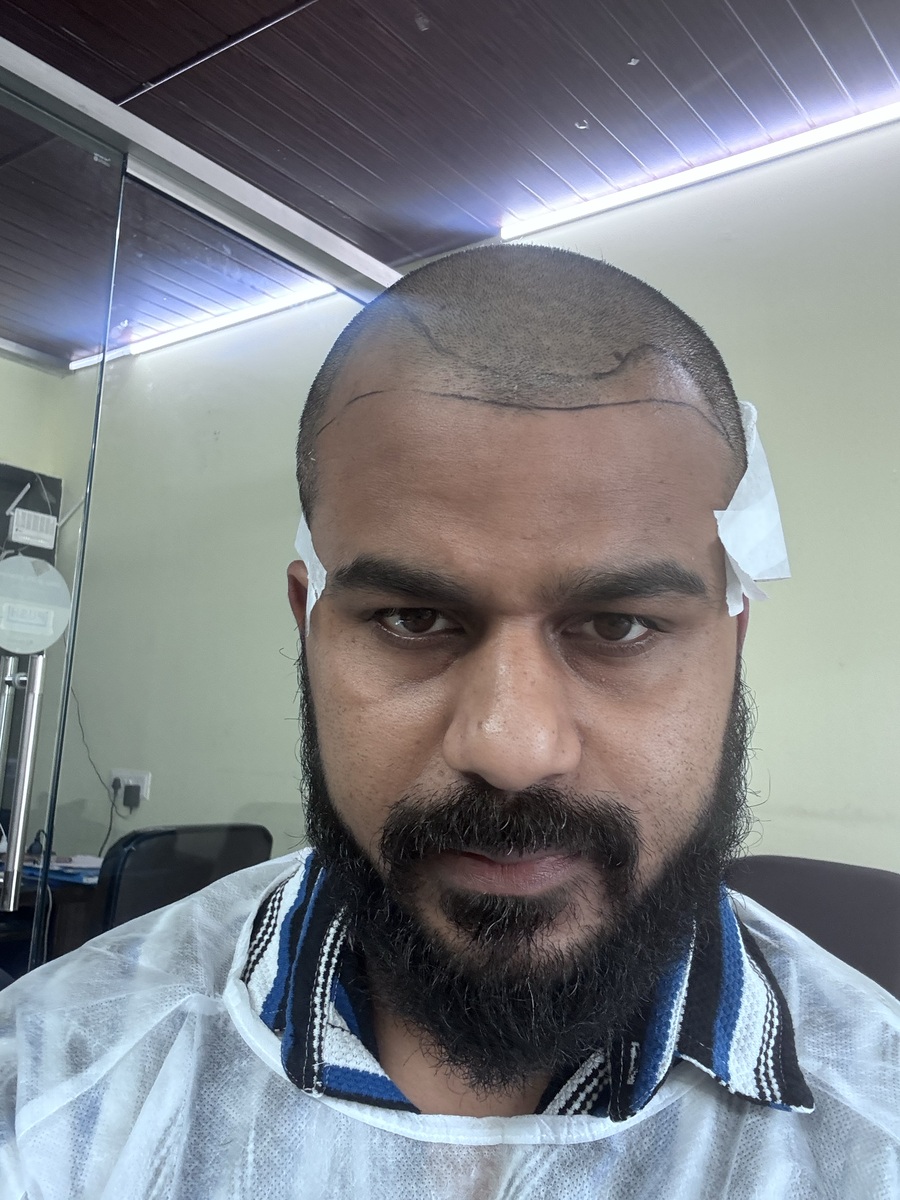
Open each original photograph: Open earlier original · Open later original.
Lighting, angle, hair length and camera distance all change how a photo looks. Regrow documents change; it does not assess healing.
How to use your hair transplant tracker
1. Start with your dates
Keep your surgery date and any earlier photos in one record. You can add photos taken before you installed the app, on the dates they were taken.
2. Build a comparable photo diary
Use matching angles, lighting and camera distance so two dates can be read side by side. See the founder’s own dated photo comparison. To keep a comparable record from the start, use the printable hair transplant photo checklist or the blank photo log spreadsheet (CSV).
3. Keep your next clinic conversation organised
Keep your clinic’s instructions, follow-up dates and the questions you want to ask where you can find them. Your clinic’s instructions take priority. Background reading: the hair transplant recovery timeline guide, or download Regrow for iPhone and Android.
COMPANION
The question you don't want to send your clinic at 3am.
Is this scab normal. Why is it itching. Can I fly next week. Regrow answers from a reviewed education library, tied to the day you're actually on — and it is honest about what it cannot know.
- Answers based on your recovery day, not generic advice
- Says plainly when something needs your clinic instead
- No account required to use it
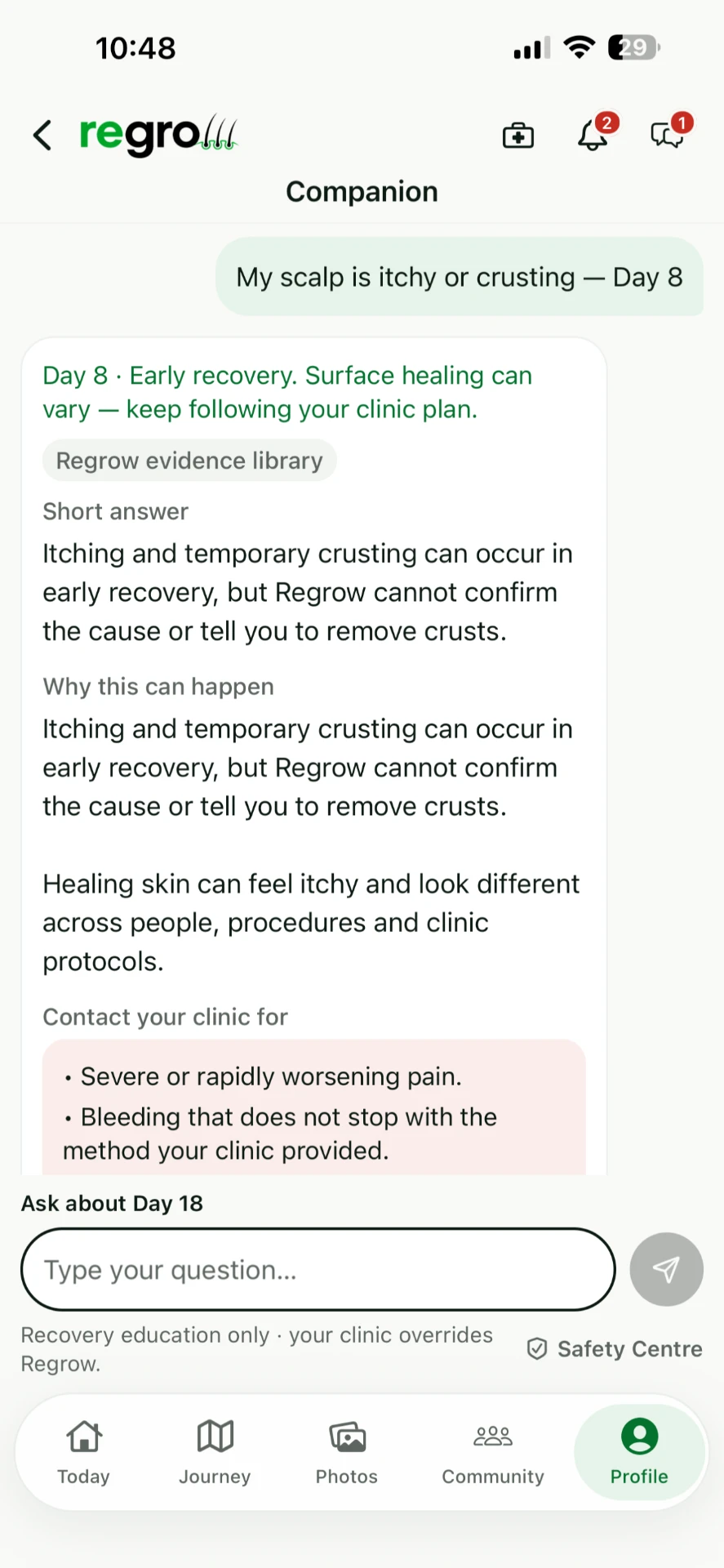
It never overrules your surgeon. Every answer states that your clinic's instructions take priority, and anything urgent — severe or worsening pain, bleeding that won't stop — is pointed straight back at your clinic.
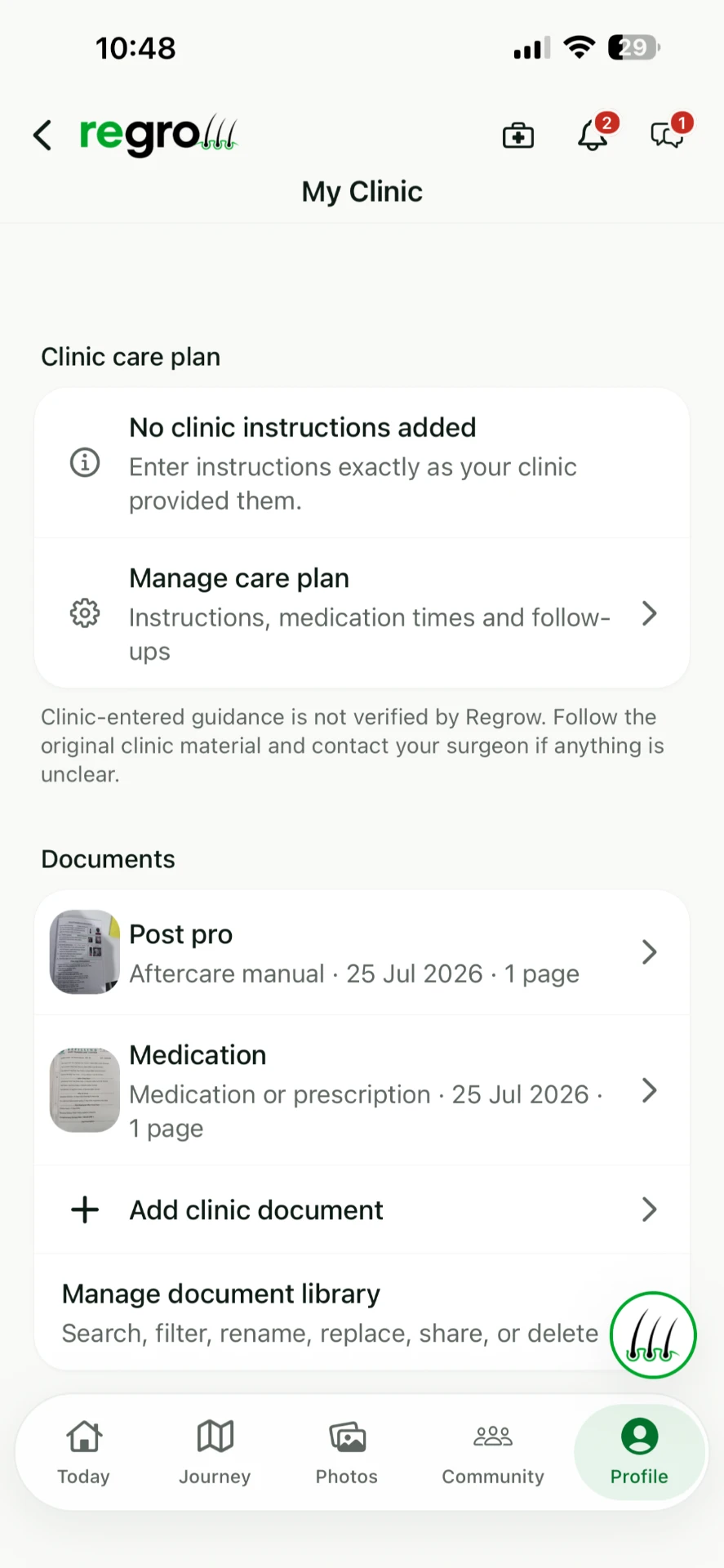
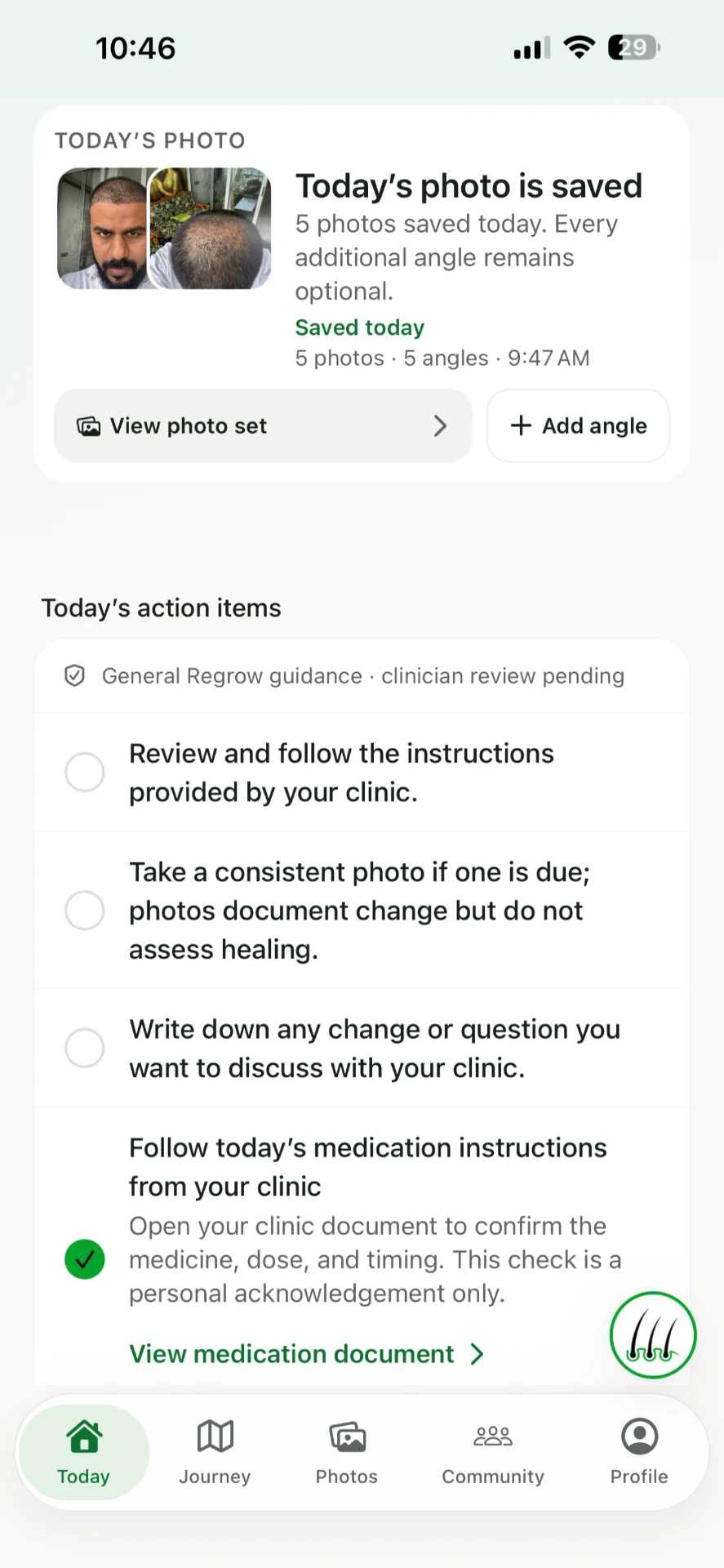
The aftercare sheet is in a folder you'll never open again.
Photograph it once. Regrow keeps your aftercare manual, medication sheet and follow-up dates together, and turns them into a short list of what to do today — including opening your own medication document to check the dose and timing.
- Your clinic's documents, stored on your phone
- A daily checklist built from your plan, not ours
- Follow-up dates and reminders you won't miss
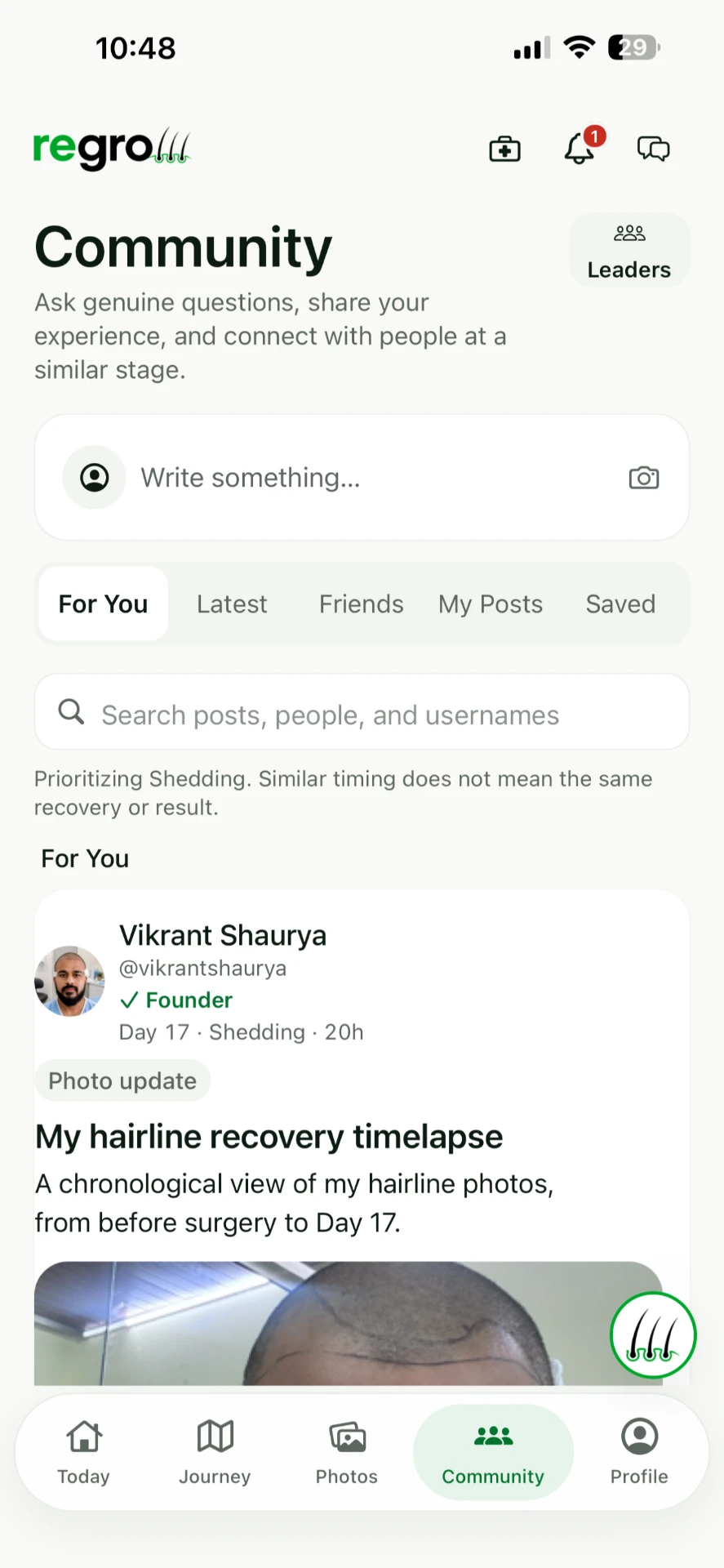
Somebody else is on day 18 right now.
The forums are full of strangers at unknown stages giving each other advice. Regrow's community shows you people at your stage, on your day, with their recovery day attached to every post — and the founder is in there answering.
Similar timing does not mean the same recovery or result.
Your photos. Your choice.
Your recovery photos stay on your device unless you explicitly enable Secure Backup or choose to share or export them. Community posts and anything you choose to share are handled according to the Privacy Policy.
Regrow and its core patient features are free. Secure Backup is optional. Availability, included access, renewal terms and local subscription prices are shown in the app before you decide. The core app works without Secure Backup.
Not had it done yet?
Regrow has a planning stage too. Keep private baseline photos before anything changes, organise the questions worth asking in a consultation, store clinic quotes side by side, and see an educational graft-range overview — a planning aid, never a measurement or a promise.
Why this exists
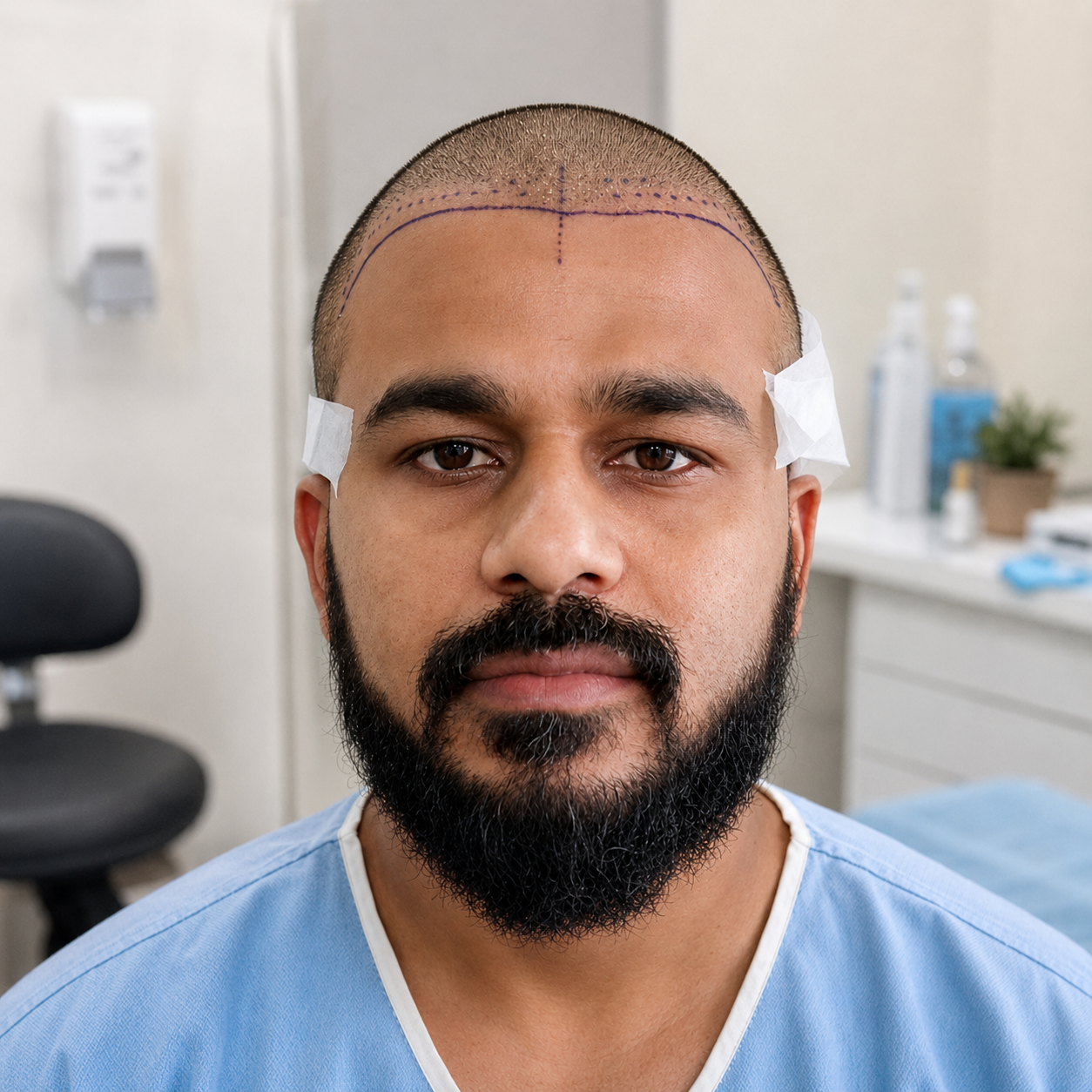
I had a hair transplant, and I spent the first weeks searching the internet at 2am trying to work out whether what I was seeing was normal. I found forum posts from strangers and no straight answers anywhere.
So I built the thing I wanted to have. Every screenshot on this page is my own recovery — day 18, shedding, the lot.
— Vikrant Shaurya, founder
Questions about the app
What does a hair transplant tracker do?
It keeps dated recovery photos, reminders and your clinic's instructions in one record, so you can compare matching angles over time instead of relying on memory or a mirror.
Is Regrow free?
The core patient features are free. Secure Backup is optional; its availability, included access, renewal terms and local prices are shown in the app before you confirm anything.
Is it available on iPhone and Android?
Yes. Regrow: Hair Transplant Care is on the App Store and Google Play. Download Regrow.
Can I add photos taken before I installed the app?
Yes. Older photos can be added on the dates they were taken, so a record started late still lines up correctly.
Where do my photos live?
Your recovery photos stay on your device unless you enable Secure Backup or choose to share or export them. Anything you post in the community is handled as described in the Privacy Policy. Read the Privacy Policy.
Does Regrow assess how my healing is going?
No. Regrow provides general education and self-tracking. It does not diagnose, assess healing or predict an outcome, and your clinic's instructions always take priority.
Whatever day you're on, start there.
Add the photos you already have, and Regrow puts them on the right dates.
Free core features. Optional Secure Backup. Account requirements depend on the features you use.
Regrow provides general education and self-tracking. It does not diagnose, prescribe, predict results or replace your surgeon, clinic or a qualified medical professional. Your clinic's instructions always take priority.